


本教程是关于Unity中UI交互界面设计训练视频教程 Grasp those UI Fundamentals,时长:1小时53分,大小:320 MB,MP4高清视频格式,教程使用软件:Unity,附源文件,作者:Lisa Walkosz-Migliacio,共21个章节,语言:英语。
Unity是一款跨平台的游戏开发工具,从一开始就被设计成易于使用的产品。作为一个完全集成的专业级应用,Unity还包含了价值数百万美元的功能强大的游戏引擎。Unity 4作为一个游戏开发工具,它的设计主旨就是让你能够创建令人惊讶的游戏。如果你之前尝试过Unity,请查看Unity 3都做了哪些更新。如果你是第一次尝试,那就好好看看吧,看Unity都能为你带来什么。Unity作为一种开发环境,可让你脱离传统的游戏开发方式,以一种更简单的方式专注于你的游戏开发。开发网络游戏、移动游戏、单机游戏,Unity都能完全胜任。
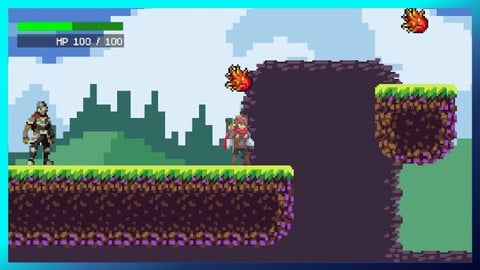
Displaying and interacting with your users is paramount to having a good user experience (UX) for your game or app. In this course, Unity 2018 UI Fundamentals, you’ll configure basic UI components and gain knowledge on how to make those interactions work for users to accomplish their goals using your programs, which can include 2D games, 3D games with UI overlays, or UI in the world itself, like in VR or AR. First, you’ll learn about the different canvas types you can use. You’ll see the new component, TextMeshPro, and start using it to create highly customizable text. Next, you’ll get to create a configuration panel with different UI components in them. Finally, you’ll examine how to make a main menu with some cool interactive pizzazz. By the end of this course you’ll have a better understanding of how to help the users interact with your Unity game or application.
1、本站收集的资源仅供内部学习研究软件设计思想和原理使用,学习研究后请自觉删除,请勿传播,因未及时删除所造成的任何后果责任自负。如果用于其他用途,请购买正版支持作者,谢谢!
2、本站所有资源来源于用户上传和网络,若无意中侵犯到您的版权利益请邮件至(rridea@foxmail.com)联系我们,我们会在收到信息后会尽快给予处理!版权说明《点此了解》!
3、如果您发现本站文件已经失效不能下载,请《提交工单》联系站长尽快修正。
4、本站提供的资源多数为百度网盘下载,对于大文件,您需要安装百度网盘客户端才能下载。
5、由于本站资源大多来源于互联网,非原创及特别注明的产品外,如下载资源存在BUG以及其他任何问题,请自行调试解决。
6、Mac用户安装软件遇到问题请自行查看《问题汇总解决》。


评论0